The field desk in your pocket
The client context you need, before the moment passes.
Open GridCRM in your phone browser to find the relationship, review what they need, take the next action, and keep listing inventory close—without reconstructing the day from memory.
Mobile web workspace. No App Store download required.
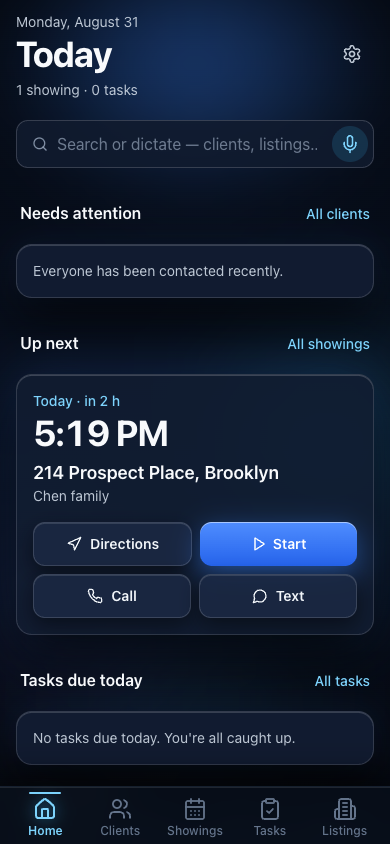
The actual workspace
Not a desktop grid squeezed onto a phone.
The mobile experience changes with the work. Start the day at Home, open the person, work the property, focus during a tour, and send the agreement—each in its own purpose-built screen.
- 01Plan the day
- 02Know the client
- 03Work the listing
- 04Run the tour
- 05Send documents
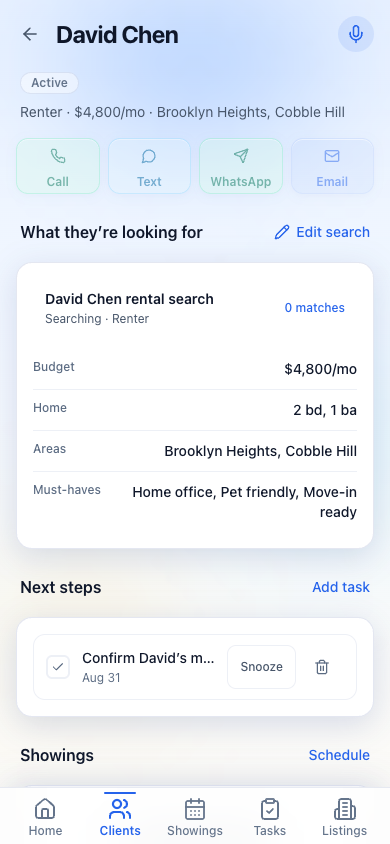
02 / CLIENT
Walk into the conversation already knowing the brief.
Open the relationship and see what they want, their budget, areas, must-haves, matches, recent activity, and the next action. Call, text, WhatsApp, or email without leaving the client context.
- Buyer, seller, and renter requirements
- Matching listings and properties of interest
- Tasks, showings, contacts, and recent activity
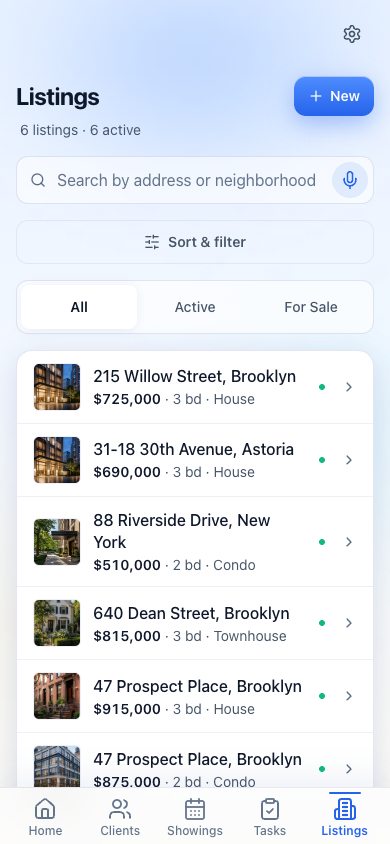
03 / LISTINGS
Carry the inventory, not a folder of screenshots.
Search and filter the active book, open the property record, and keep photos, supported videos, price, availability, listing type, matching clients, and showing context attached to the address.
Built for capture on site.
Take photos or choose multiple images and video from the phone while the property is in front of you.
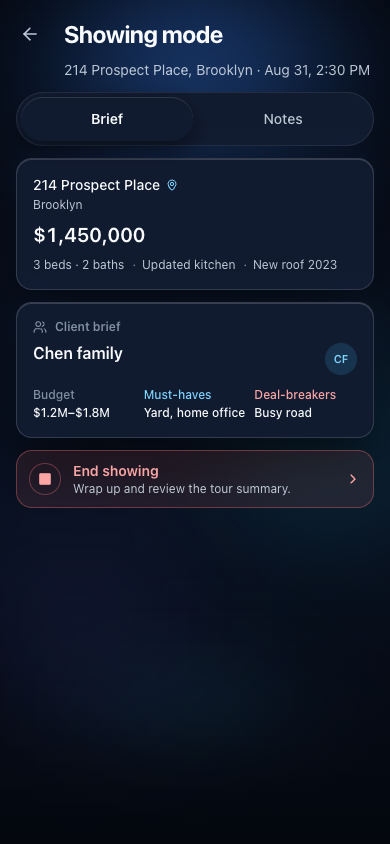
04 / SHOWING MODE
Stay present in the property. Keep the useful details.
Showing mode keeps the address and client in view while you capture reactions, questions, and next actions. End the tour with a structured review instead of a half-remembered note hours later.
Notes while you move
Capture the reaction without leaving the tour context.
Review before saving
Keep the result tied to the showing, client, and property.
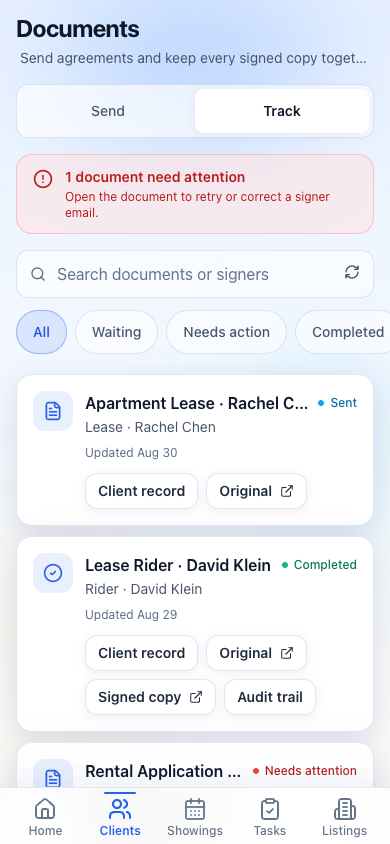
05 / DOCUMENTS
Send the agreement. Know exactly what happened next.
Choose the client, upload the agreement, add signers, and hand off the signature step to BoldSign from the mobile workflow. Then track sent, completed, and needs-attention documents back in GridCRM.
The same mobile workspace, launched from the browser.
GridCRM runs in a mobile browser and can be added to the home screen where the device supports it. It is not currently marketed as a native iOS or Android App Store application, and it does not replace phone service, navigation, lockbox access, MLS syndication, or a showing-scheduling network.
What to test in any mobile real estate CRM
- Can an agent recover client context in a few taps?
- Can the important configured fields be edited from mobile?
- Can listing media be captured where the property record lives?
- Can showing outcomes return to the client and listing context?
- Can due tasks and next actions be found without a desktop grid?
- Can the same records be exported instead of trapped in a mobile-only silo?
Keep the record current while the day is moving.
Start with your existing client book and use the mobile workspace for the moments that should not wait.